
A WeChat publishing studio on your own server
Tusun is an open-source studio for WeChat Official Account articles. Write in the browser, adjust the layout, generate a cover, check the phone-sized preview, then save the article to your own account's draft box. One docker compose up starts the whole stack, and your articles and accounts stay on your server.
What it does
Write: paste existing Markdown and images, and they stay as they are
Style: several article themes and accent colors, adjustable font size and spacing, with callouts, highlights and badges
Cover: header and share images generated from the title in several styles, or upload your own
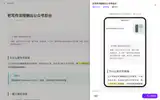
Preview: a full phone-sized preview; what you see is what gets saved
Save to drafts: write to the WeChat draft box; resubmitting an edit updates the same draft instead of creating a duplicate
Why it works this way
Drafts only: no mass sending, no scheduling, no reading of published posts. You decide when to publish in the WeChat backend
One command for the stack: app, rendering worker, WeChat relay and PostgreSQL. Images are public on GHCR for amd64 and arm64, no registry account needed
Bring your own relay if you want: the WeChat relay runs in the same stack by default; point one variable at your own relay to use it instead
What it doesn't do yet
No mass sending, scheduled publishing or analytics
Needs a server with at least 2 cores and 4 GB RAM, an account with admin access, and an API IP whitelist set in the WeChat backend
WeChat only. To sync to a blog, use zzhub-pipeline directly
Quick start
git clone https://github.com/k7airos/wx-publish-studio.git
cd wx-publish-studio
cp .env.example .env   # fill in 5 random secrets and APP_ORIGIN
docker compose up -d --wait
bash scripts/relay-init.sh
docker compose up -d --wait
Connecting an account, the IP whitelist and troubleshooting are covered in the README.
FAQ
Are the screenshots from a real account? No. They come from a local test environment with demo accounts and articles.
How does it relate to zzhub-pipeline? The worker that renders and saves drafts in Tusun is zzhub-pipeline. Use Tusun if you want a ready-made interface; use zzhub-pipeline from the command line or inside your own system.
Where are images stored? Uploaded images live in the app's own data volume. When a draft is saved, the worker re-uploads them to WeChat, so no object storage is needed.
What if deployment fails? Start with the troubleshooting section of the README. If you want help deploying, my contact details are in its last section.